




Home
👋 Welcome to my website; thanks for visiting! This is where I ✍️ about things I like, mostly technology. If you’ve come here for any of these projects, please click through: WhatPulse, MuteDeck (i.e., Stream Deck Plugin for Zoom), vRealize Network Insight Cookbook.
Feel free to contact me using the contact details on the left 👈
Latest Posts
- Cloudflare: Deploying a blog in a subdirectory of an existing site
 Let’s say you have an existing website or web application where you’d like to add a blog or documentation site like VuePress or Docusaurus. While keeping it separate from the existing site’s codebase, but still using the same domain name. When it comes to search engine optimization (SEO), there’s evidence that sub domains don’t benefit […]
 - VMware Fusion: Direct USB Keyboard & Mouse
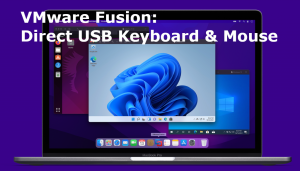 I’ve been using a Mac for forever. It’s just the right level of ultimate control over the system, with a graphical user interface that just works ™. But, I develop cross-platform apps (i.e., WhatPulse, MuteDeck) which need to work on both macOS and Windows. For that, I run Windows inside a VM on VMware Fusion. […]
 - Learnings from a new managerIt’s been ~12 months since I started managing an engineering team, and I’ve learned so much from them. Here are 9 things I wished my previous managers did (or didn’t do). No scheduled 1-on-1’s Make it clear that you don’t have to wait until a recurring touchpoint to bring up issues. Always be available for […]
- Introducing AI Spend: AI API Usage Monitoring Made Easy
 As an AI enthusiast who has built multiple AI products, I know the importance of tracking OpenAI API costs, identifying abuse instances and preventing runaway apps. While there are several tools available that enable you to see your API usage by entering the API key, I wanted an effortless and passive monitoring tool to keep […]
 - Using OpenAI’s [free] Content Moderation API
 By now, everyone knows about ChatGPT, GPT itself, and OpenAI. However, OpenAI is more than GPT: you can use their API to do image generation, speech to text, and text moderation assessments. This post is about their text moderation API, as I’ve recently discovered it’s free. The idea is to use the moderation API to decide […]
 - Tunneling Plugwise Smile P1 Stats to Grafana
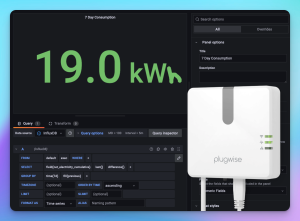 Hi! It’s been a while. I’m going to (re)start sharing solutions to problems that I’m building things for. Expect posts mostly around coding and IoT. Starting with this post; a quick tutorial on how to get power statistics from a Plugwise Smile P1 gateway to Grafana, using Telegraf. I’ve got solar panels with Enphase inverters […]
 - Azure DevOps – Post-job Installing Apple Certificate failing
 For backwards compatibility purposes, I like to keep my continuous integration and deployment workers on the lowest version available. For macOS, this was 10.15 up until recently when Microsoft (rightfully) retired it and made macOS 11 the lowest version available. Here’s the reason for this post: there’s a change in the exit code behavior of […]
 - AdminPatron: The AI Assistant I wish I had years ago
 The amount of time I’ve spent googling commands, configuration templates, or steps to configure something is wild. As an infrastructure engineer, I have tons of cheat sheets for networking, security, PowerShell, Kubernetes, and more. Sometimes I forget what’s on these cheat sheets and resort to Google again. This is why I built AdminPatron. Introducing AdminPatron […]