
How GitButler and stacked PRs help me ship AI-written code
How I use GitButler stacks, GitHub pull requests, AI reviews, and installer builds to keep multiple changes moving and ship with more confidence.
Last year, I wrote about how AI makes writing code faster, while leaving us with all the work of understanding, reviewing, and maintaining it. I’ve been spending quite a bit of time figuring out what that means for my own development workflow.
Most of my development these days is AI-assisted, usually with Claude Code doing the implementation. That makes it easy to have several things moving at once. It also means I need a way to keep track of what changed, review it in sensible pieces, and feel comfortable merging the result.
I’ve settled into a workflow built around GitButler, GitHub’s stacked pull requests, and a review round with different AI agents. There’s also a slightly unglamorous addition that’s helped my confidence a lot: building the installers before I actually need to release anything.
GitButler is where I keep things organized
GitButler is a visual Git application, and I use it pretty much exclusively for Git operations across my development projects. Stacks and branches are how I organize the work as it comes in.
A stack usually represents one of two things:
- A day’s work: several smaller changes that I want to review separately and land together.
- A bigger feature: a set of related changes, split into individual features or implementation phases.
Within that stack, each branch is a unit of work I can review on its own. Sometimes that’s a small feature. Sometimes it’s one part of something much larger.
The boundary is mostly practical. Can I look at this change and understand what it’s trying to do without also reviewing everything else I worked on that day? If so, it’s probably a useful branch.
That gives me somewhere to put the work while I move between things. I can keep building on a feature and still preserve the smaller pieces I’ll want to look at later.
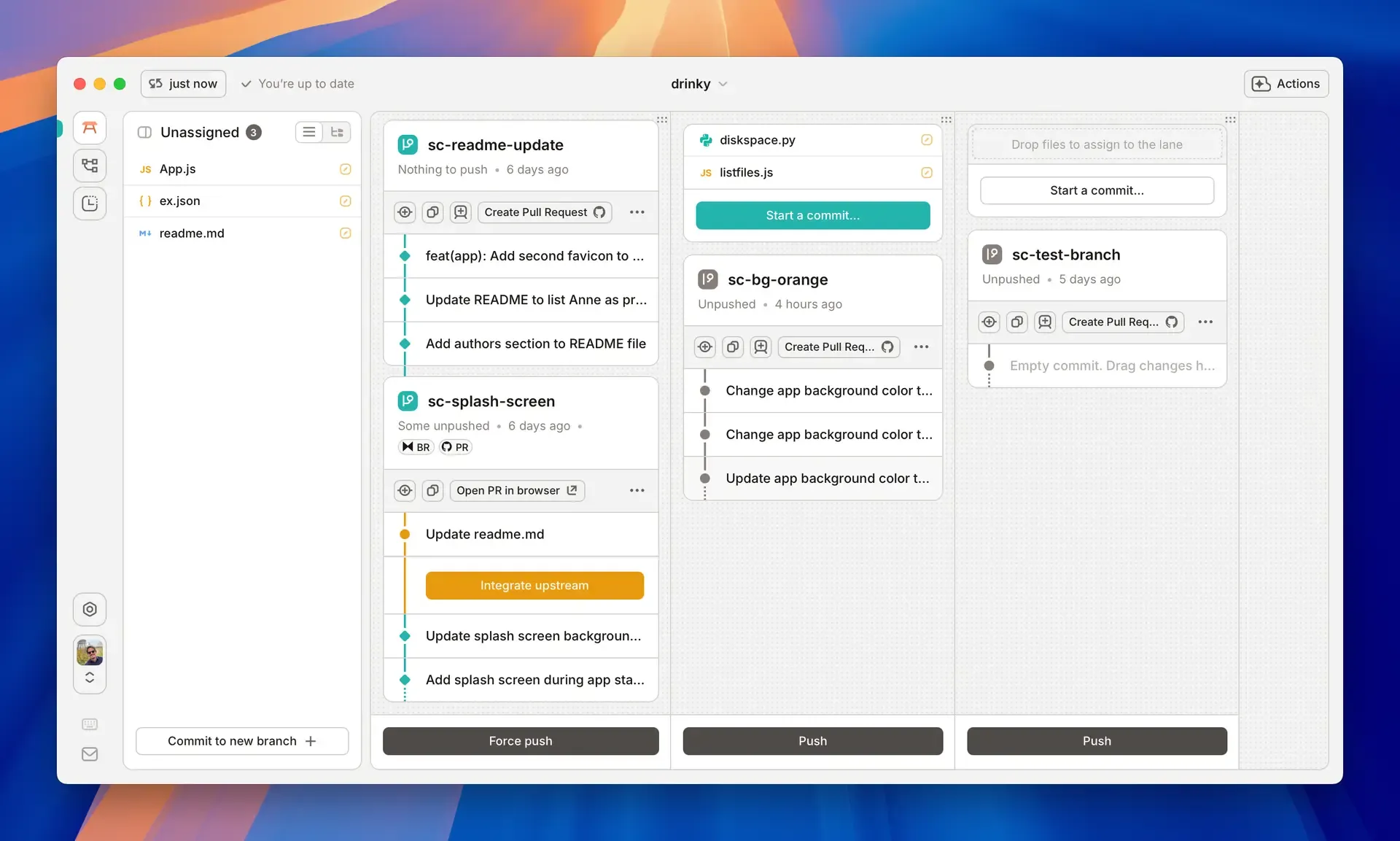
Example screenshot: A stack holds the larger batch of work; the branches are the pieces I want to review separately. Source: GitButler documentation.
The same structure follows me into GitHub
Each branch gets a pull request. With GitHub’s native stacked PR support, those PRs stay connected: each layer builds on the one below it, and the review shows the changes for that particular layer.
That’s a good fit for how I’m already organizing things locally.
For a bigger feature, I can review its individual parts while keeping their relationship visible. For a day’s work, I can go through the smaller changes one by one. Grouping those changes into a daily stack is my own batching choice; they don’t all have to be parts of the same feature.
The useful bit is that the amount of work I build together doesn’t have to be the amount of work I review at once.
I can finish a substantial chunk of work, then sit down for a proper review round without having to untangle one enormous diff first. The boundaries are already there.
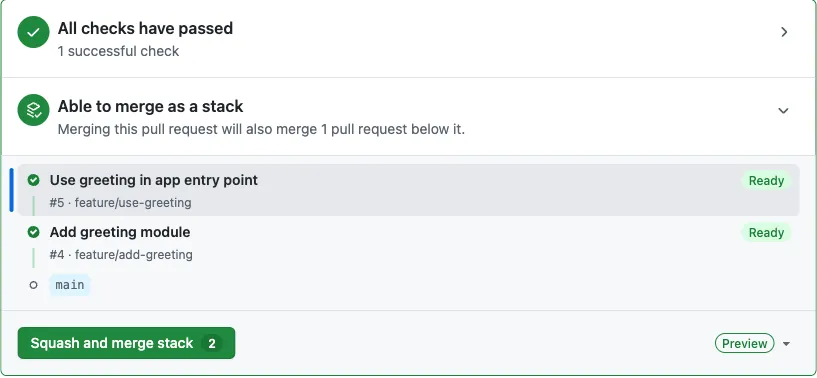
Example screenshot: two dependent PRs, ready to merge together as a stack. Source: Daniel Mackay, Dan Does Code.
A different agent reviews the code
Once the PRs are available in GitHub, I bring in other models and agent tools to review them.
One of those is Hermes. It’s a personal assistant agent, but I also use it as a coding assistant. I have it go through the PRs step by step and return its findings, which I then hand back to the original implementation agent, usually Claude Code.
The idea is to get another perspective on the work. A different model, running in a different agent setup, gets to inspect what the first one built.
Splitting the work into PRs helps here too. The reviewer has a smaller change to reason about, with a clearer purpose. It can work through the stack in order instead of trying to understand a whole day’s output in one go.
Alongside that code review, I’m testing the application myself. Throughout development, I check each piece as it’s built: does the thing I’m building actually work?
During the review round, I take a more thorough pass through the whole experience. I try to approach it as though I hadn’t built it myself and was using it for the first time. Does the flow make sense? Is anything awkward in the UI? What happens when I do something unexpected?
That’s where I look for UX changes, broken flows, and corner cases we didn’t catch while building the individual pieces. Passing tests is useful, but I also want to use the thing from beginning to end and see how it feels.
The review findings and anything I turn up while testing go back to the implementation agent, and it works through the fixes.
This is also where my Git history gets a little less tidy.
The review fixes get their own PR
I usually put the review fixes in another branch on top of the stack. That becomes another PR.
So the shape is roughly:
main
  └─ first change
      └─ second change
          └─ third change
              └─ review fixes
Why put them there?
Because by the time I do the review round, the same file may have been changed in several branches. A fix identified while reviewing the first PR might need to account for changes introduced in the second and third.
Moving that fix back into the original branch can mean untangling those later edits and replaying the work above it. It’s possible, but it adds work that I don’t always find worthwhile.
So I put the corrections in a final PR against the combined result. That means the original change and its fixes can live in different PRs, which I’m okay with. I can still review what changed without spending another round untangling the earlier branches.
Tests on the PRs, installers on main
Each PR has its own CI checks. For the desktop applications I work on, that typically includes building and testing across macOS, Linux, and Windows.
Once the review is done, I merge the whole stack into main. That triggers another, more extensive set of CI jobs.
Those jobs build the things I’d need to distribute the application: installers, update artifacts, and the rest of the release build output. They build it without publishing a release.
This means I find packaging problems when the work lands, while the changes are still fresh in my head. I don’t have to wait until release day to discover that the application passes its tests but the installer won’t build.
There’s a practical reason I keep those jobs off the individual PRs. Building all the installers takes considerably longer than building the application and running its tests, and some of that work needs specific CI runners.
Running it for every layer in a stack would add a lot of overhead. Running it after the reviewed stack lands gives me a check of the combined result, including the review fixes.
By the time I want to release, I’ve already seen the release builds run against the merged work.

One example from my own CI: the build on main took nearly 11 minutes, compared with roughly 3–6 minutes for the PR runs. The main build also produces the installers.
That’s made it easier to keep several things moving and actually get them shipped. GitButler gives the work a place, the PRs give me manageable pieces to review, and the build on main checks that I can package what I’ve just merged.
I still stand by what I wrote last year about the cost of understanding AI-written code. This is the workflow I’ve been building around that cost, and so far, it’s working pretty well for me.